
The Advanced Search feature allows you to filter through your voter database using custom parameters and take quick action based on the results.
Once you run a search, you’ll see several action icons above the results.
Here’s what each one does:
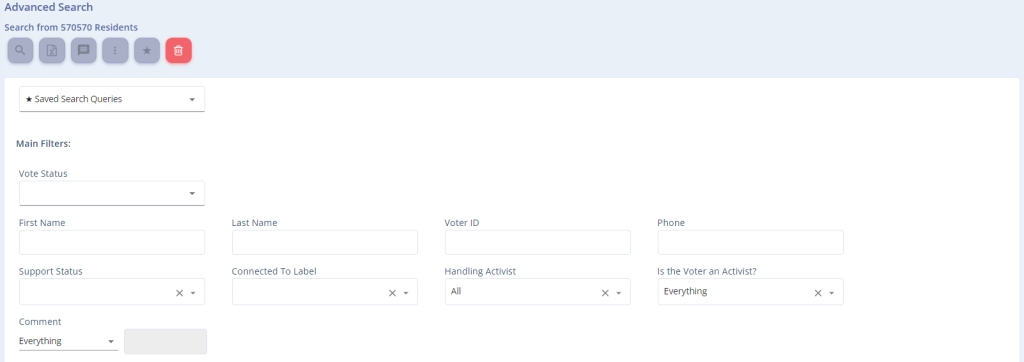

Export to Excel
Quickly download a full report of all the voter data in your search results. This is useful for offline analysis or sharing specific segments with your team.

Additional Options
Click the three-dot icon to open more tools:
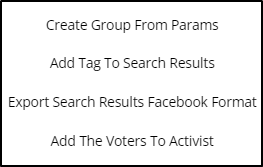
- Create Group from Search Results – Creates a group from the voters returned in the search results.
- Add Tag to Search Results – Links the voters returned in the search results to a tag.
- Export Search Results for Facebook Targeting – Highly recommended for use in a sponsored Facebook campaign. As is well known, Facebook allows targeting advertisements according to the audience. You can export the search results and use the file for targeted sponsored advertising on Facebook. For example, export residents from a specific city or neighborhood and target them with advertisements relevant to their area. The file is created ready for use and meets Facebook’s requirements.
- Add Voters to a Volunteer’s Mobilize List – Assigns the voters to an activist’s list of your choice. To view the guide on this topic, click here.

Favorite Searches
If you’ve built a search you want to reuse later—save it!
Favorite searches allow for quick re-access and can also power custom graphs on your dashboard.