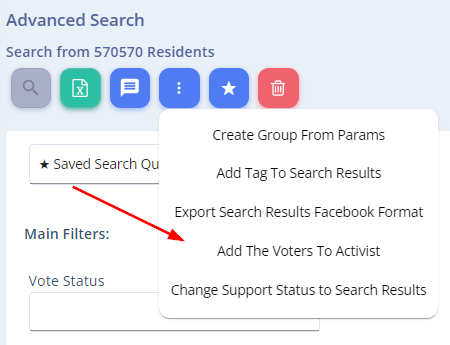
You can easily assign a group of voters from your search results to a specific activist in your campaign.
This feature is helpful when you want to give a volunteer or staff member a targeted list of voters to mobilize.
How to Do It:
- Run a search in the Advanced Search screen using any filter criteria.
- Click the three-dot icon (⋮) to open the action menu.
- Select “Add the Voters to Activist.”
- Choose the activist from the dropdown list.
That’s it! The selected voters are now added to that activist’s mobilization list.
This tool is perfect for quickly distributing outreach lists across your team based on geography, demographics, or support level.