
Phone Campaign Guide for Volunteers
Make calls, listen to voters, and record useful responses. This guide takes you from signing in on your computer to finishing your calling session.
Want a guide beside you while you call?
Download the one-page visual PDF below this article. Print it or keep it open as a quick reference throughout your session.
Tap or click any walkthrough image to open a larger view. Screens show the published workflow; labels and fields may vary.
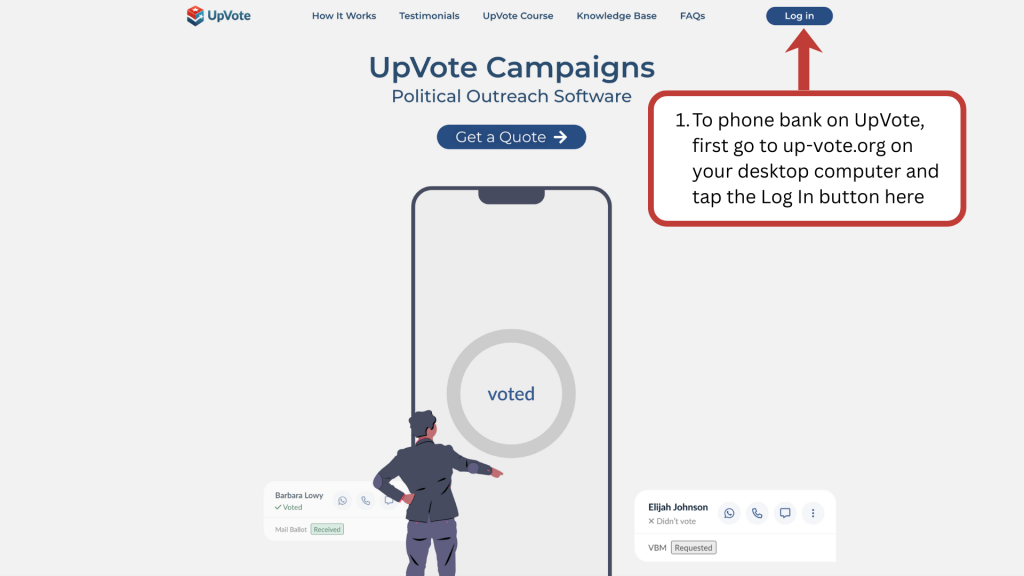
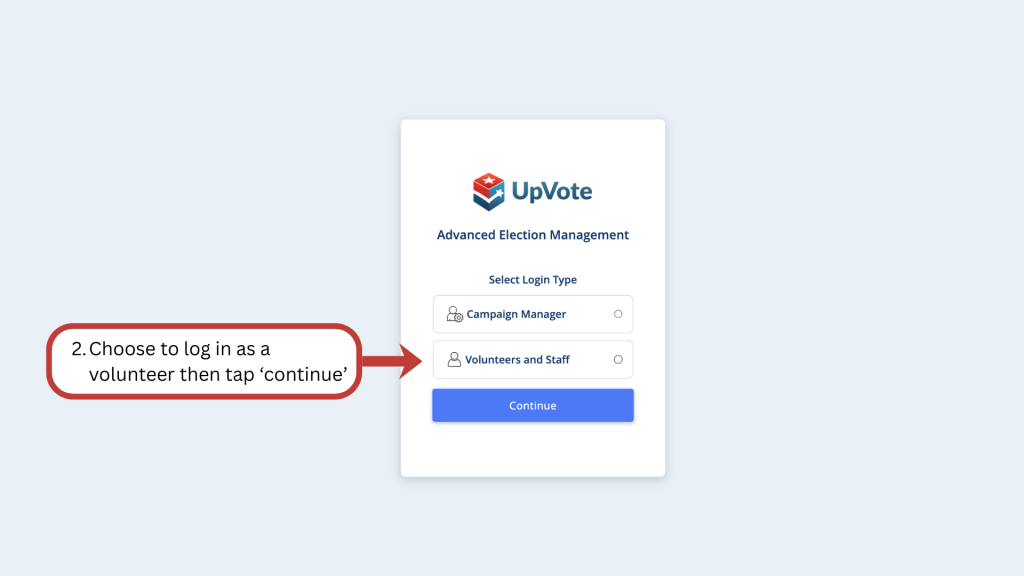
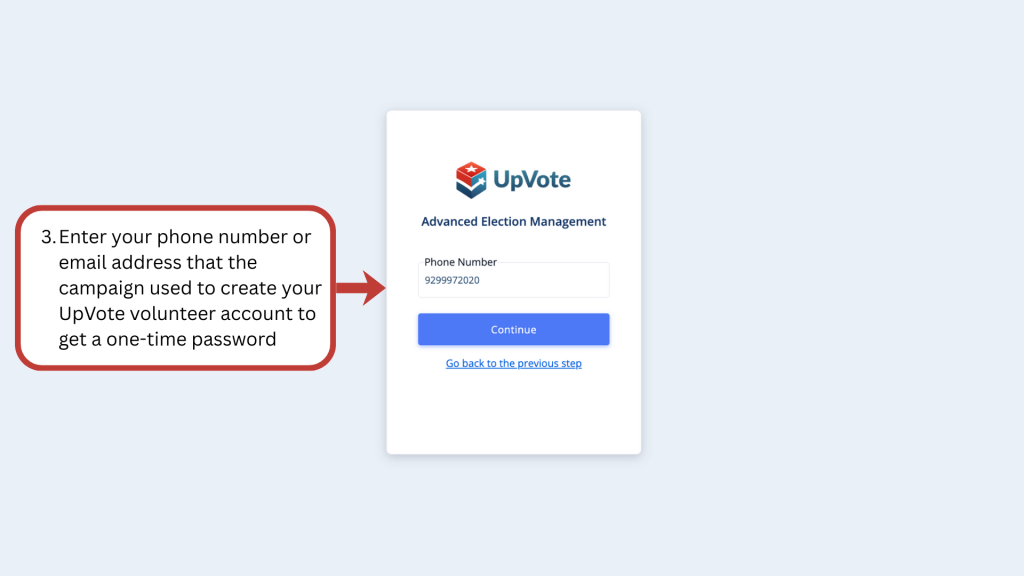
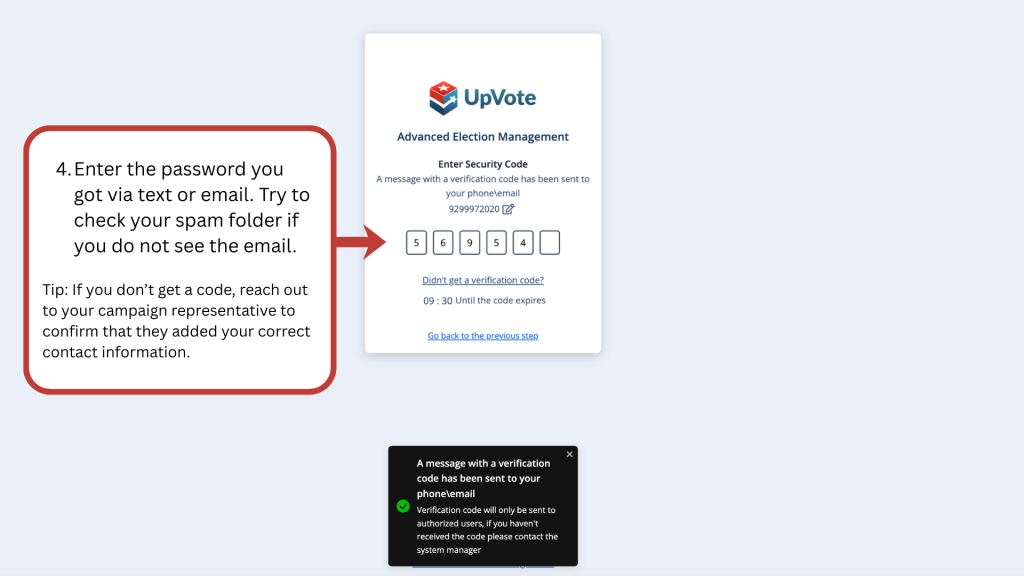
1. Sign in as a volunteer
On your computer, visit up-vote.org and click Log in. Select Volunteers and Staff, then Continue.
Use the phone number or email associated with your campaign invitation and enter the one-time code you receive.
2. Open your assigned campaign
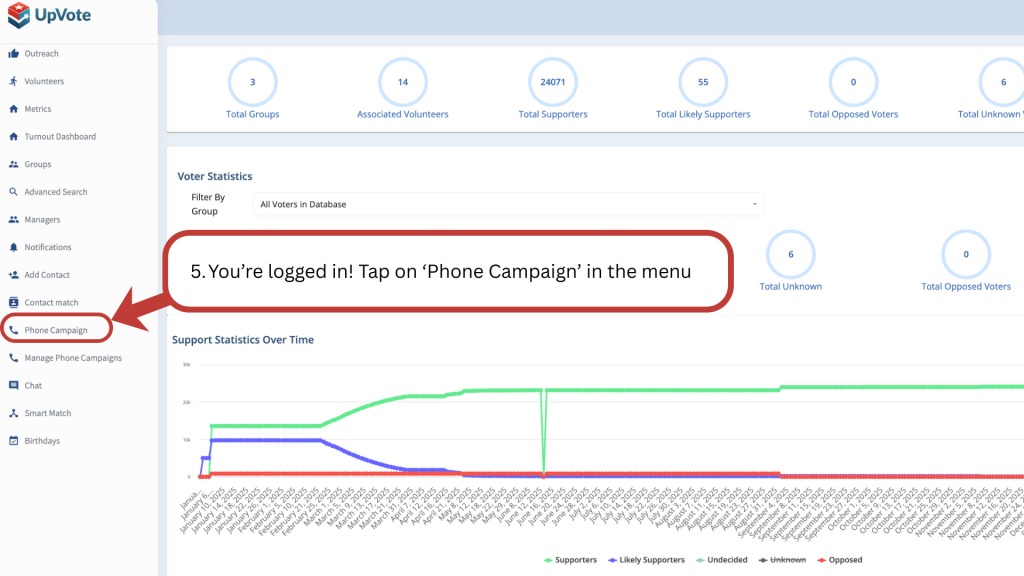
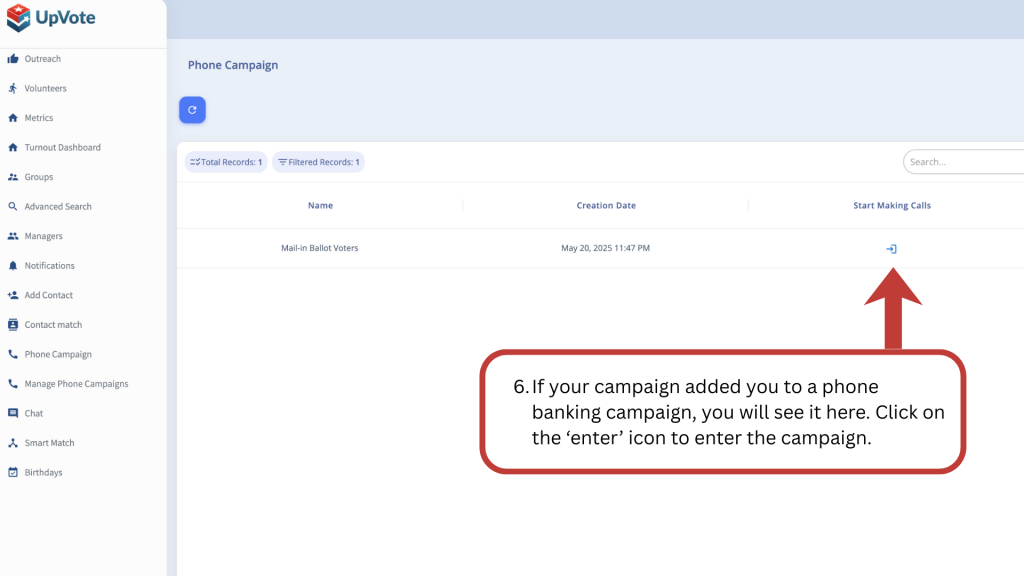
Choose Phone Campaign from the menu. Find your assignment and click its entry icon under Start Making Calls.
3. Check in
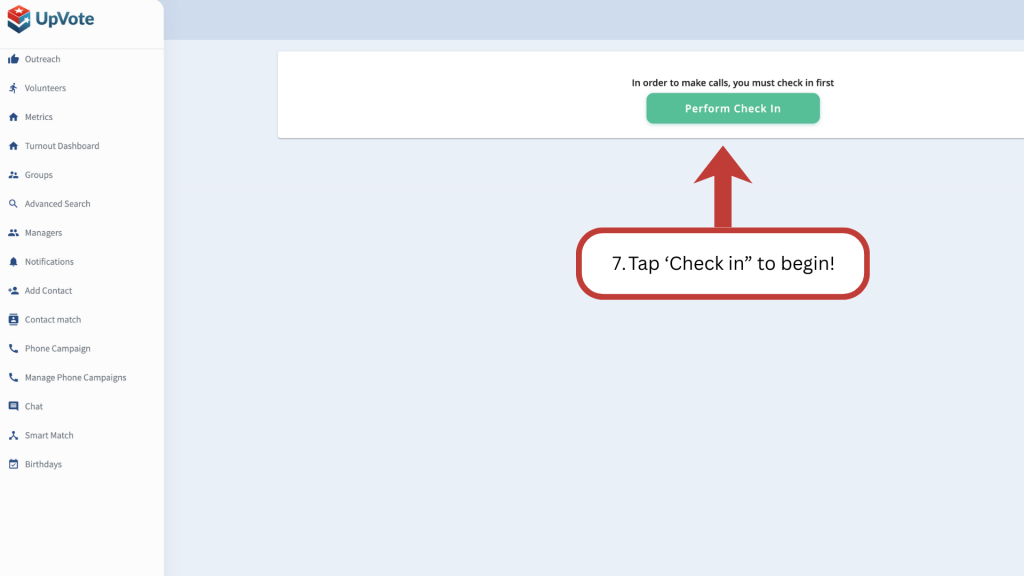
Click Perform Check In to start your session.
Prepare before the first call
Find a quiet place, have your calling device ready, and read the campaign instructions. If your team uses a computer calling service, ask them to confirm that it is configured before you begin.
4. Make your call
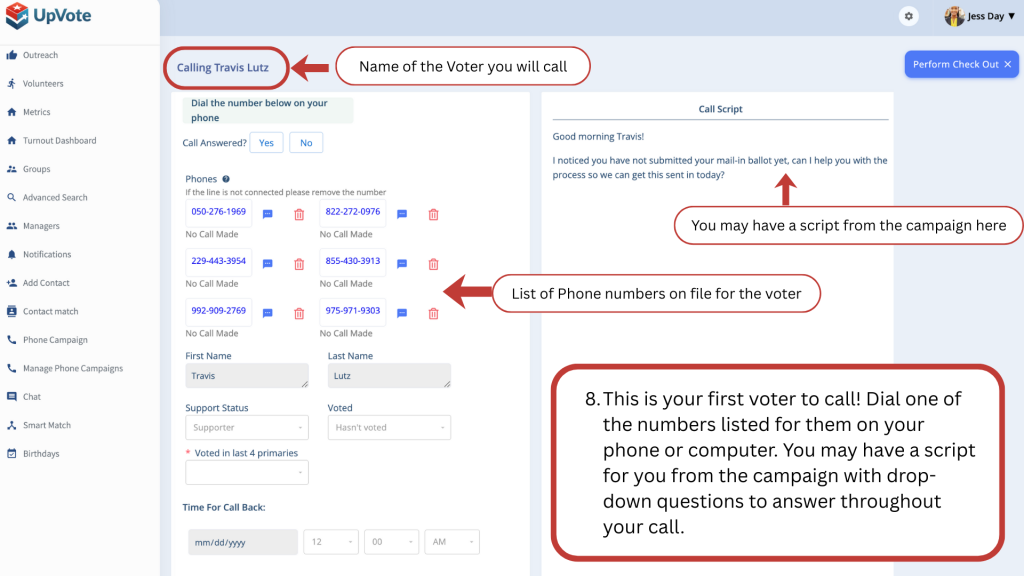
Call one of the listed numbers with your phone or configured computer calling app. Follow the campaign script when provided.
Take a moment to understand the purpose of the conversation. Introduce yourself clearly and leave room for the person to respond rather than reading through the script without pausing.
5. Record the response
Set Call Answered? to Yes or No. For answered calls, complete the available questions, comments, and callback details.
- Record what the person actually said. Keep uncertainty clear.
- Use brief, relevant notes that help the campaign follow up.
- Follow your team’s instructions for wrong numbers and requests not to be contacted again.
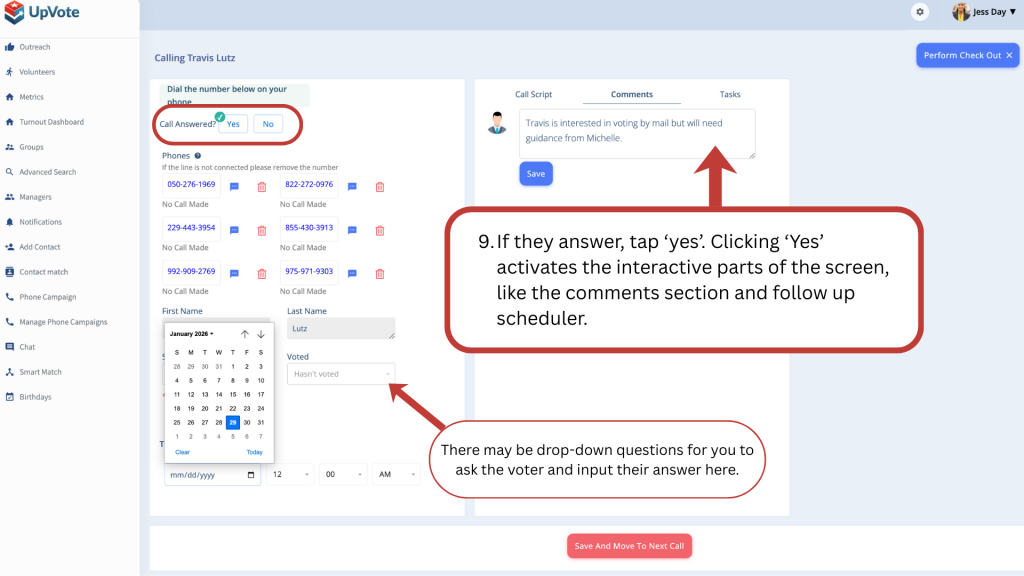
6. Save, continue, and check out
Click Save And Move To Next Call after recording the outcome. At the end of your session, click Perform Check Out.
Finish the record before the next conversation
A short, accurate note is more useful than a rushed guess. Take the time you need to complete the current record before moving on.
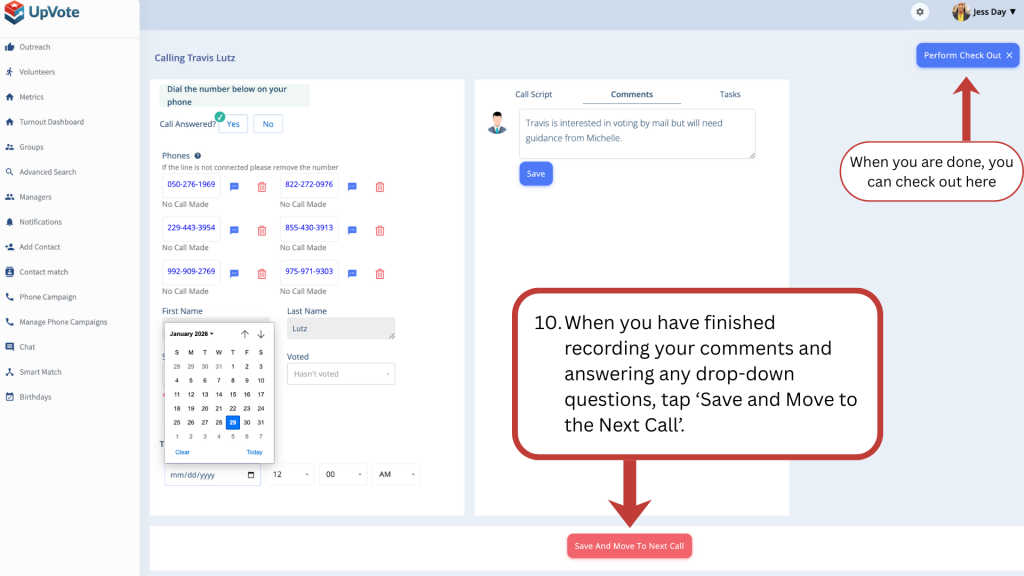
Tips for a useful conversation
Listen first
Use the script as a guide. Speak naturally, ask one question at a time, and give the person a chance to answer.
Respect their response
Keep the conversation courteous. If someone is unavailable or does not want further contact, follow your campaign’s instructions.
Common questions
What if my login code does not arrive?
Check your email spam folder if relevant. Ask your campaign team to verify the contact information attached to your invitation.
What if my assigned campaign is missing?
Ask your campaign team to confirm your assignment and access.
Does UpVote place the call for me?
In the workflow described here, you dial the listed number using your phone or configured calling app. Follow your team’s setup instructions.
What if the screen looks different?
Labels and available fields can vary by campaign or version. Ask your campaign team if you are unsure how to record a result.
Good outreach leaves a useful record
Make a clear introduction, listen carefully, and save an accurate response. Each conversation helps your team understand who needs a follow-up and how to make it meaningful.
Download the one-page visual guide
The downloadable PDF is available below this article. It includes six steps and screen examples, so you can print it for a volunteer session or keep it beside you while making calls.