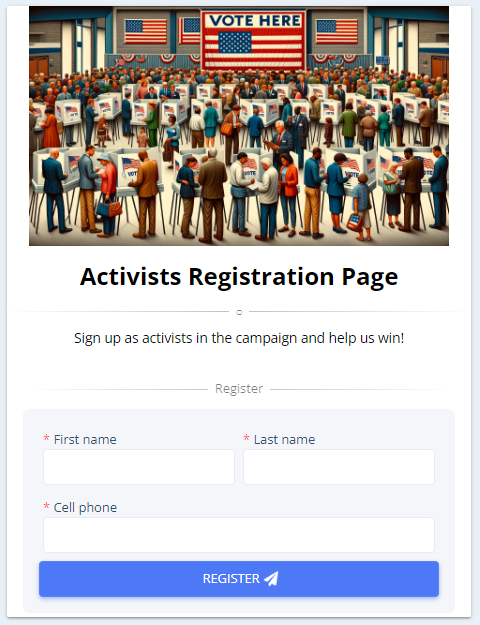
Instead of manually inviting each volunteer and volunteer manager in the system one by one, we have added a feature that allows users to register themselves independently.
All you need to do is create a registration page and share it with your supporters.
Go to the “Self-Registration” page. Now You can customize the registration form according to your preferences.
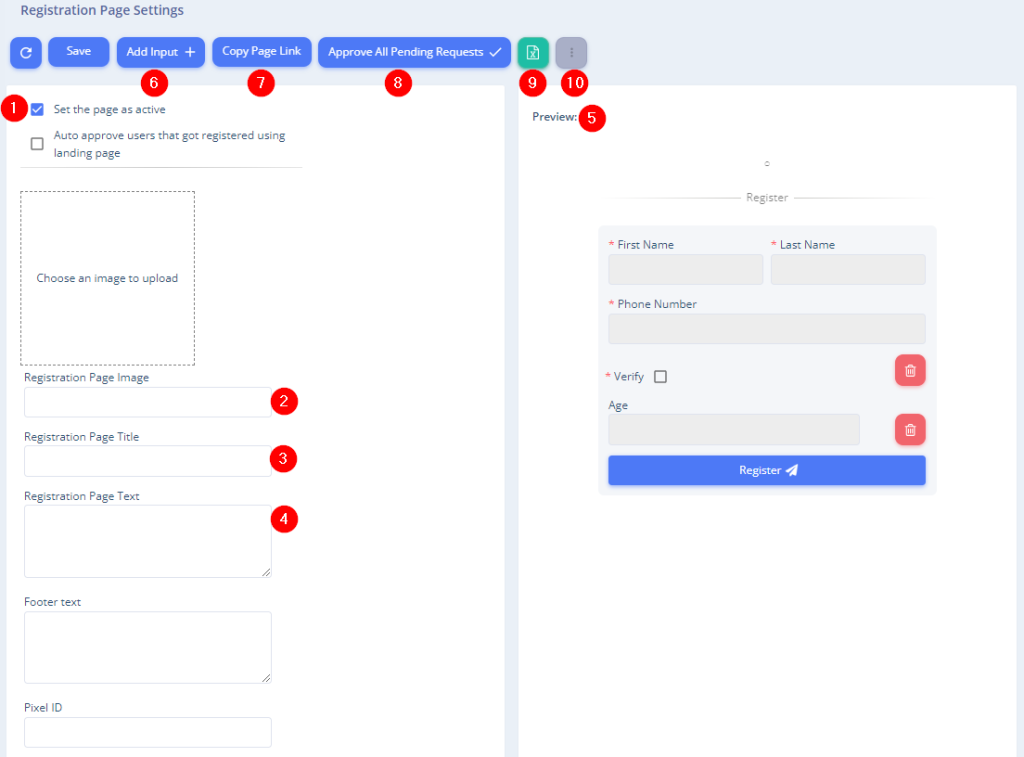

1. Set the page as active – Determine whether the page is active and ready for sharing or paused.
2. Registration page image – Add an image to the registration page.
3. Registration page title – Add a title to the registration page as desired.
4. Registration page text – Add text to the page.
5. Preview the registration page.
6. Add Input – You can add fields to the registration form, such as residence city or party affiliation.
7. Copy the page link – You can share the registration page link with your supporters.
8. Approve all pending requests – Approve all registrants at once, converting them into UpVote volunteers in the system. Pending users will appear in a list at the bottom of the table. After approval, they will be added to the activist table, and each will receive an SMS with login details.
9.Excel – Export the list of users pending approval to Excel.
10. Three dots – Allows you to select multiple users from the table below who are pending approval and approve/reject them all at once.
11. QR Code – Share the page with your supporters using a QR code.
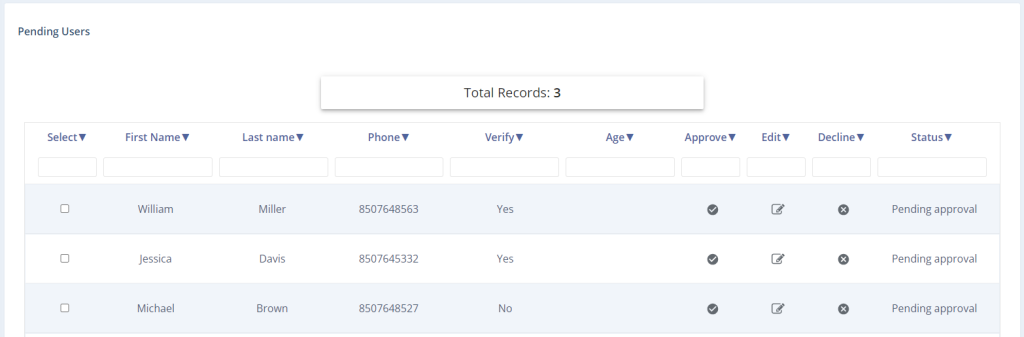
List of Pending Approvals
At the bottom of the page, you will see a table listing all users pending approval. Each user can be approved, have their activist details edited, or have their request rejected.
Example Registration Page