
Welcome to UpVote! You’re ready to get started. The first step is logging in to your Admin Portal.
Logging in as a System Administrator
Logging in as a System Administrator
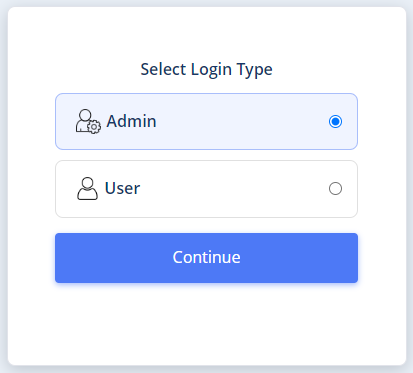
System administrators use a secure two-step login process to access the Admin Portal. This includes entering your permanent login credentials and then confirming your identity with a temporary one-time code. These steps are designed to meet modern cybersecurity standards.
- On the initial login screen, choose to log in as a system administrator.
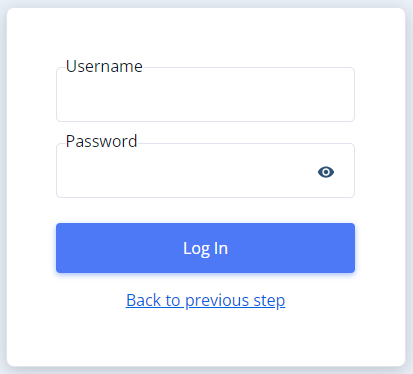
2. Upon receiving the system, you were sent login details including an email and password. Please enter them now.
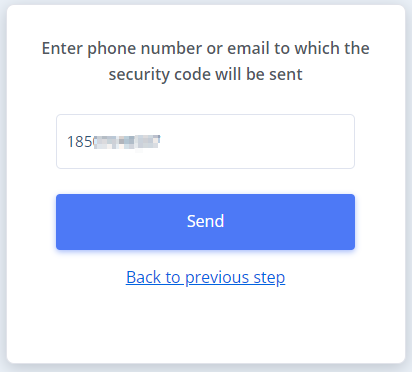
3.Enter the email/phone number to which the security password will be sent. Please note that the number must be authorized in the system; otherwise, you will not be able to log in.
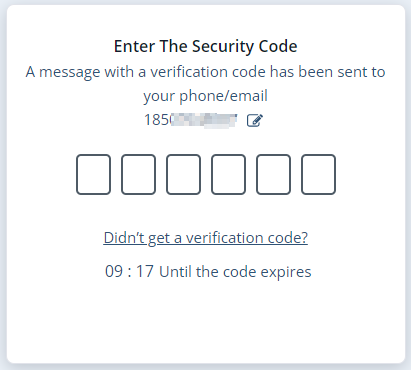
4.Enter the temporary security code that was sent to your phone/email.
You are now logged in and can start working. Good luck!
*If you were unable to log in to the system, please repeat the steps in the guide and make sure you followed the instructions precisely. If you encounter any issues, please contact the support team.
Logging in as a User (Volunteer/Caller, etc.)
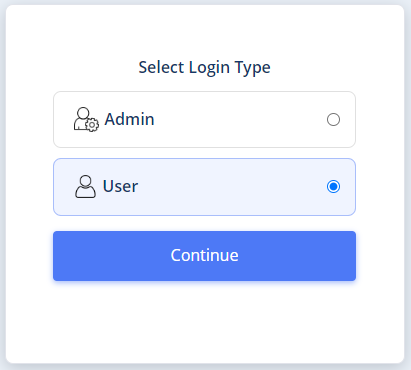
1. Select that you wish to log in as a user.
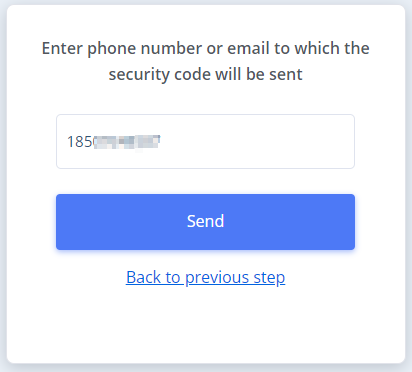
2.Enter the phone number or email with which you registered in the system.
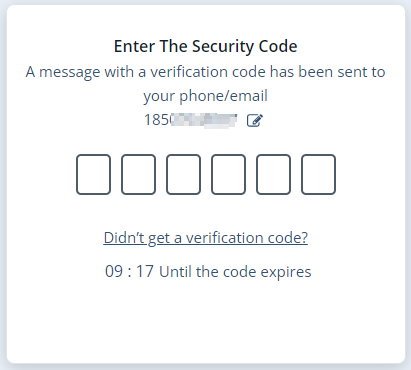
3.Enter the temporary security code that was sent to your phone/email.
That’s it, you are logged in – you can start working!
Troubleshooting Tip:
If you’re unable to log in, double-check that you’re using the correct login credentials and that your phone/email is authorized in the system. If you continue having issues, contact our support team for assistance.