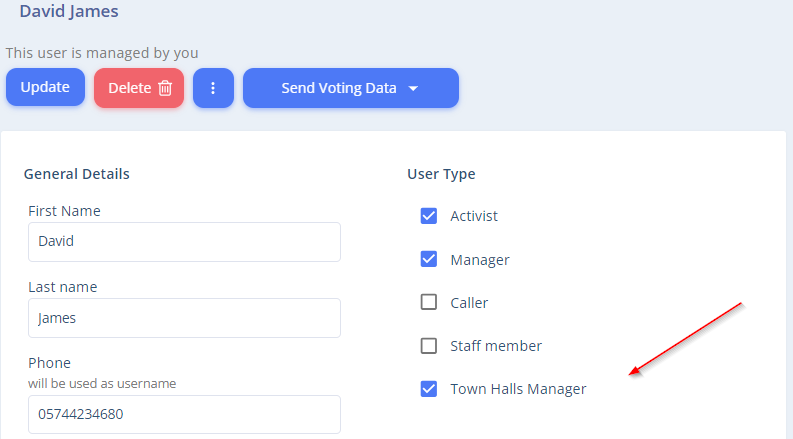
Managers are essentially senior volunteers. They are used, among other things, to create a hierarchy and monitor different groups of voters and activists within the system. The advantage of managers is that they exponentially increase your influence, as they not only persuade supporters but also motivate the volunteers under them. Each such volunteer has a list of contacts they are responsible for.
When selecting managers in the system, it is recommended to choose individuals you trust and who are dedicated to the campaign and to you. This is because managers have more permissions and broader access to voters compared to a regular volunteer.
Similar to volunteers, the permissions of managers can be edited. There are certain permissions that can only be granted to them and not to regular volunteers. The permissions are listed in the volunteer’s ‘more details’ page under the “Manager” tab.
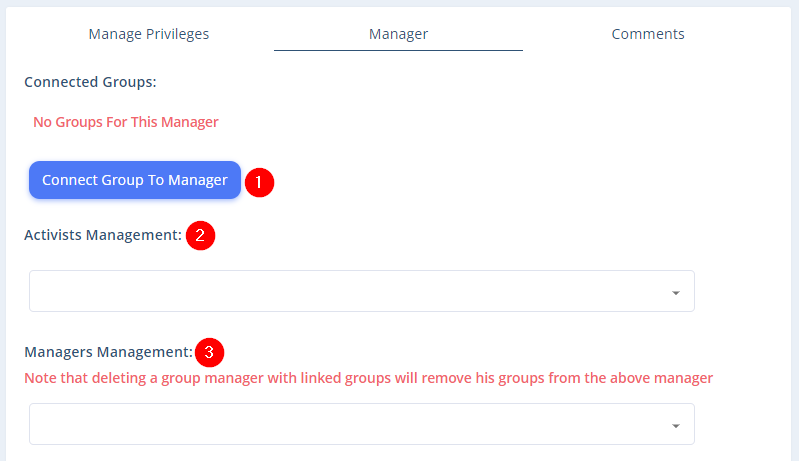
- Group Management – Managers can be assigned to UpVote Groups. Associating a manager with a specific group allows for better control and focused management of the voter group. Groups can be chosen based on geographic affiliation, such as a neighborhood or city, by common language, or any other characteristic. Naturally, the better the manager knows the members of their group, the higher the chances they can successfully persuade them. The manager can view the details of voters in the groups linked to them.
- Volunteer Management – The system can create a hierarchy of roles. For example, in national elections, a group manager can be appointed for each city, and under each manager, the volunteers from that city can be linked. For a guide on hierarchy structure, click here.
- Manager Oversight– As part of the hierarchy, a volunteer with manager permissions can manage other managers, essentially becoming even more senior in the hierarchy. Note that a manager has access to all the groups of the managers under them.
The hierarchy structure can be viewed by clicking on  at the top of the Managers page.
Additionally, the manager can be given access to all voters, similar to the system admin. This permission can be marked in the “Manage Permissions” tab.
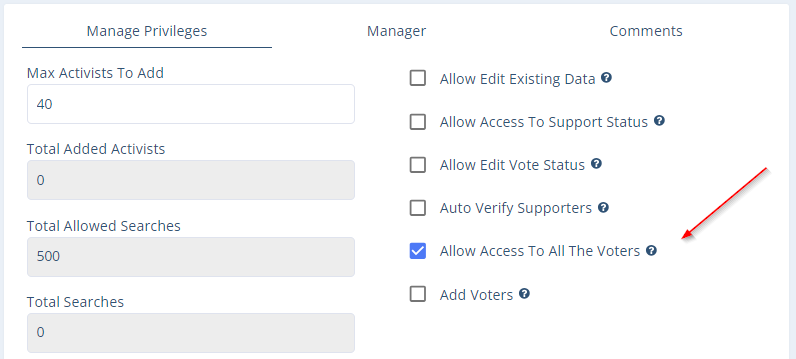
Additional Permissions for Managers
Recruiting Volunteers
A manager can create user accounts for volunteers so their friends can have permission to login to UpVote and all new recruits will be under their management. This essentially allows volunteer managers to build their own team in the app, they will be able to see their team’s activity and send them notifications in the app with daily goals and encouragement. Managers can add volunteers under then directly in the UpVote app from the Volunteers tab.
Tracking Volunteers Under Their Supervision
A manager can monitor the volunteers under their supervision.
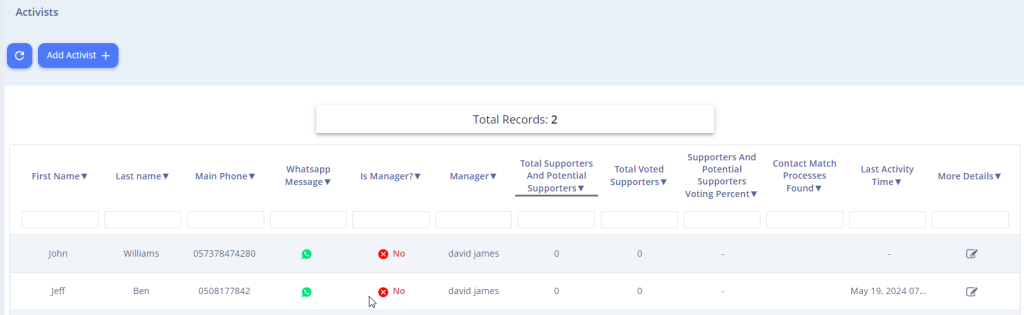
On the volunteers tab in the app, a Manager can see important metrics from their team including: how many contacts each volunteer has added, how many contact matches they made, their last activity time, and more. Through this tracking, they can motivate them accurately using texts and notifications ensuring they log into the system and add as many contacts as possible.
In addition, the manager can track the voting percentages among the supporters of the volunteers under their supervision and encourage the volunteers to ensure their contacts have voted.
Events Manager
A manager can be granted permission to manage UpVote Events. As an Event Manager, they will be able to create new events and edit existing ones. To enable this permission, check the “Event Manager” box under the user type in the manager’s profile.